
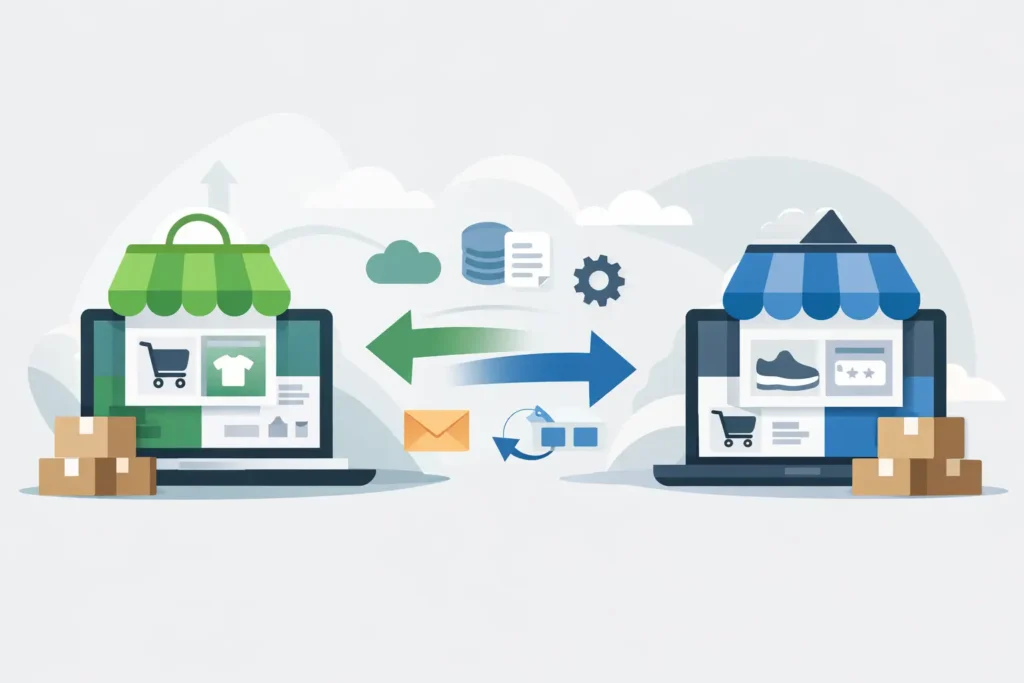
If you are looking for a Shopify to BigCommerce migration example, you probably do not need a cheerleading pitch for either platform. You need to know what actually happens in a real move, where the hidden work shows up, and how to avoid turning a platform change into a revenue problem.
That is the right way to look at it. Migrations are rarely hard because of the export itself. They get hard when storefront design, product options, customer data, URL changes, apps, and order operations all collide at launch.
A practical Shopify to BigCommerce migration example
Here is a realistic example based on the kind of merchant that often reaches this point.
Picture a mid-sized brand selling specialty products with about 1,800 SKUs, a mix of simple and variant products, a blog with years of content, and a small wholesale segment handled awkwardly through Shopify apps and workarounds. The team is doing solid revenue, but they are tired of app dependency, checkout limitations, and day-to-day admin friction. They want BigCommerce because they need stronger native flexibility, cleaner support for catalog complexity, and a platform that gives them more room to operate without stacking monthly app costs.
On paper, that sounds straightforward. Export products, move customers, rebuild the theme, point the domain, and go live. In practice, the migration breaks into several business decisions.
First, what exactly is being migrated? Product data, categories, customer accounts, order history, blog content, coupon logic, navigation, page content, reviews, and SEO signals all need a place in the plan. Second, what should not be migrated as-is? A lot of Shopify stores carry years of app-created clutter, duplicate metafields, dead pages, and inconsistent product structures. A migration is often the first chance to clean that up.
That is why the best migration projects are not treated like a copy-and-paste job. They are treated like an operational rebuild with a controlled launch.
What moved cleanly and what needed manual work
In this Shopify to BigCommerce migration example, product basics moved well. Titles, descriptions, SKUs, pricing, images, and core variant data were all manageable with a combination of exports, imports, and structured cleanup. Categories also improved because BigCommerce let the catalog be organized more intentionally rather than around the limitations of an older Shopify setup.
Customer records usually move reasonably well too, but not always in the way merchants expect. Basic customer data can transfer. Passwords generally do not. That means customer account communication matters. If your audience will need to reset passwords after launch, you need to plan the message and timing. What feels like a technical footnote can quickly become a support issue.
Order history is one of those it-depends areas. Some merchants need it fully migrated into the new platform. Others only need access to historical reporting elsewhere and want the new store to launch clean. The right answer depends on customer service workflow, accounting needs, and how often your team references old orders inside the platform.
The harder work usually shows up in three places: design, app replacement, and SEO.
Design is not a straight platform translation. A Shopify theme does not become a BigCommerce theme with a button click. The layout, templates, components, and custom functionality need to be rebuilt for the new system. Sometimes that is good news. If your old store has years of design debt, rebuilding is how you end up with a cleaner, faster storefront. But it does mean merchants should stop thinking in terms of “moving the theme” and start thinking in terms of “recreating the customer experience.”
App replacement is where many timelines get stretched. In this example, the merchant had separate apps for subscriptions, filters, reviews, wholesale pricing, and a page builder. Some had direct BigCommerce equivalents. Some needed a different workflow entirely. Some were no longer necessary because BigCommerce handled the requirement natively or with less complexity. This is where platform knowledge matters. If you simply replace every Shopify app with a BigCommerce app, you risk carrying over the same bloated setup you wanted to leave behind.
SEO is where migrations quietly go wrong
Merchants often focus on product imports and storefront visuals because they are visible. SEO damage tends to happen quietly, after launch, when rankings slide and traffic drops.
In this migration example, the old Shopify store had indexed product URLs, collection pages, blog content, and a library of older campaign pages. BigCommerce uses a different URL structure in some cases, so redirects were non-negotiable. Every high-value URL needed to map to a relevant new destination. Not just the homepage. Not just top categories. Actual one-to-one thinking.
Metadata also needed review. If titles and descriptions were poor on Shopify, there is no reason to preserve them. But if they were performing well, they should not be casually overwritten during import. Canonicals, image naming, internal links, and content hierarchy all deserved a check before launch.
A clean migration plan assumes some search volatility can happen. What it should not accept is avoidable SEO loss caused by sloppy redirect mapping or missing content.
The real timeline was driven by decisions, not exports
Most merchants ask how long a migration takes. The honest answer is that the platform transfer is often faster than the business approvals around it.
In this example, the longest delays were not technical. They came from unanswered questions about category structure, product option logic, navigation changes, and content ownership. Who is rewriting key pages? Which apps are staying? Is the wholesale experience getting rebuilt now or later? Are promotional rules changing at launch? Those decisions affect scope more than the raw data move does.
That is one reason bloated agency processes frustrate merchants. When too many people are involved, small decisions take too long and no one owns the full picture. A focused migration works better when one experienced operator can move from strategy to execution without the usual handoff mess.
What this merchant gained after launch
The most useful outcome was not that the store was on a new platform. It was that the business ended up with a cleaner operating model.
The catalog was easier to manage. Product rules were more consistent. Fewer third-party tools were needed. The team had a clearer content structure, stronger category organization, and a storefront that was built around current priorities instead of old compromises. Support questions dropped because the account setup, navigation, and checkout flow were clearer.
That does not mean every migration produces instant growth. Sometimes the first win is operational. The team spends less time fighting the backend. Merchandising gets easier. Future changes cost less because the new build is more disciplined.
That matters. Platform migrations should create leverage, not just a different login screen.
When Shopify to BigCommerce is the right move
Not every merchant should migrate. If your Shopify store is simple, profitable, and not creating workflow pain, moving platforms may be unnecessary disruption. A migration only makes sense when the current setup is holding back the business or costing too much in workarounds.
The move tends to make sense when your catalog is getting more complex, your B2B needs are growing, your app stack is getting expensive or fragile, or your team is spending too much time bending the platform around requirements it does not handle gracefully.
It also makes sense when you are ready to treat the migration as a structured project instead of a rushed rescue job. If you want a better result, you need discovery, cleanup, QA, redirect planning, and launch support. There is no shortcut around that.
How to use this Shopify to BigCommerce migration example
Use this example as a filter. If your store has more than a handful of products, multiple apps, custom workflows, or meaningful organic traffic, assume the migration is part technical and part operational. Budget for both.
Start by auditing what you have now. Separate core business requirements from legacy clutter. Decide what must migrate, what should be rebuilt, and what should be retired. Then map launch risk before anyone touches design or imports.
That is the difference between a controlled migration and a chaotic one. The merchants who get the best results are not the ones who move fastest. They are the ones who make clean decisions early, keep scope honest, and work with a BigCommerce expert who knows how to spot the problems before they become expensive.
If you are considering the move, the goal is not to recreate your Shopify store pixel for pixel. The goal is to launch a BigCommerce store that works better for the business you have now, not the one you had two years ago.
Need help with your move to BigCommerce? Work with a partner who specializes in the platform. I’ve worked with over 700 merchants and can keep your migration on track while mitigating typical risks. Contact me and let’s chat about your project.
Sales in a slump?
Get instant access to the Conversion Boosting Self-Audit, proven to identify order-blocking issues on your website.
Plus, you'll get periodic tips, tools and exclusive offers designed to help grow your e-commerce business. Unsubscribe any time.
