
One of the first questions store owners ask when considering a redesign is: “How long will this actually take?”
The short answer: it depends. A BigCommerce redesign can be as quick as a few weeks or stretch out over a few months depending on how much work needs to be done. The good news is, you have options — and if speed is your top priority, there are ways to get results faster without cutting corners.
The Average Timeline for a Redesign
A typical redesign project can take anywhere from 4 to 12 weeks. Why such a big range? Because every store is different.
Here’s what usually happens behind the scenes:
- Planning (1–2 weeks): Reviewing your goals, figuring out what needs to change, and creating a design plan.
- Design phase (2–4 weeks): Updating layouts, navigation, and overall look/feel.
- Content & testing (2–4 weeks): Adding content, testing across devices, and making adjustments.
- Launch & cleanup (1 week): Flipping the switch and ensuring everything runs smoothly.
That’s the “average” path. But most projects don’t move in a straight line — revisions, unexpected fixes, and content updates can stretch the timeline.
Factors That Affect Timing
Some of the biggest things that influence how long a refresh takes:
- Scope of changes. Swapping a homepage banner is quick. Rebuilding product pages, or fully customizing a BigCommerce theme takes longer.
- Theme health. If your current theme is bloated or outdated, it may take more effort to clean up than to start fresh.
- Content prep. If you’re providing new photos, videos, or copy, delays here often slow projects down.
- Decision-making. Multiple rounds of feedback or changes in direction will add time.
This is why planning upfront is so important — it helps you set realistic expectations.
BigCommerce Redesign vs. Starting Fresh with a New Theme >
When You Need Results Faster
Not every business has the luxury of waiting 8–12 weeks. Maybe you have a seasonal launch coming up or you’re rebranding on a deadline. In those cases, you need a way to move faster.
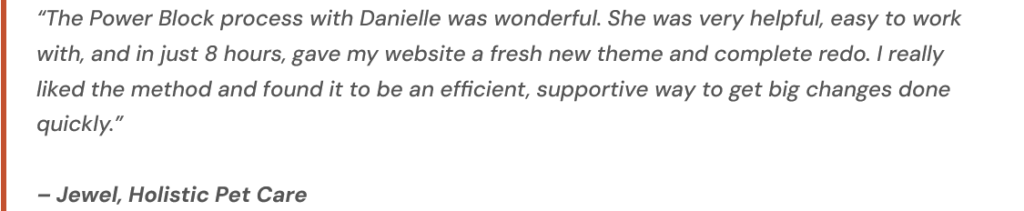
That’s where a Power Block session comes in. Instead of a months-long project, you can book a dedicated half-day with a BigCommerce expert to tackle specific redesign tasks. It’s not a full overhaul, but it’s an efficient way to make meaningful improvements right away. Or, you can stack multiple Power Blocks in a short period of time to complete a full refresh.
Examples of what can get done in a Power Block:
- Refresh your homepage layout.
- Clean up navigation.
- Swap in new branding elements.
- Optimize product page design.
Final Thoughts
So, how long does a redesign really take? The answer is: as long as it needs to. For some stores, a handful of focused updates in a Power Block session can be enough to see results. For others, a full 8–12 week process is the smartest path forward.
The key is knowing what you need, when you need it, and choosing the approach that matches your goals.
Want to discuss a new look for your store? Contact me and let’s chat.
Sales in a slump?
Get instant access to the Conversion Boosting Self-Audit, proven to identify order-blocking issues on your website.
Plus, you'll get periodic tips, tools and exclusive offers designed to help grow your e-commerce business. Unsubscribe any time.
