
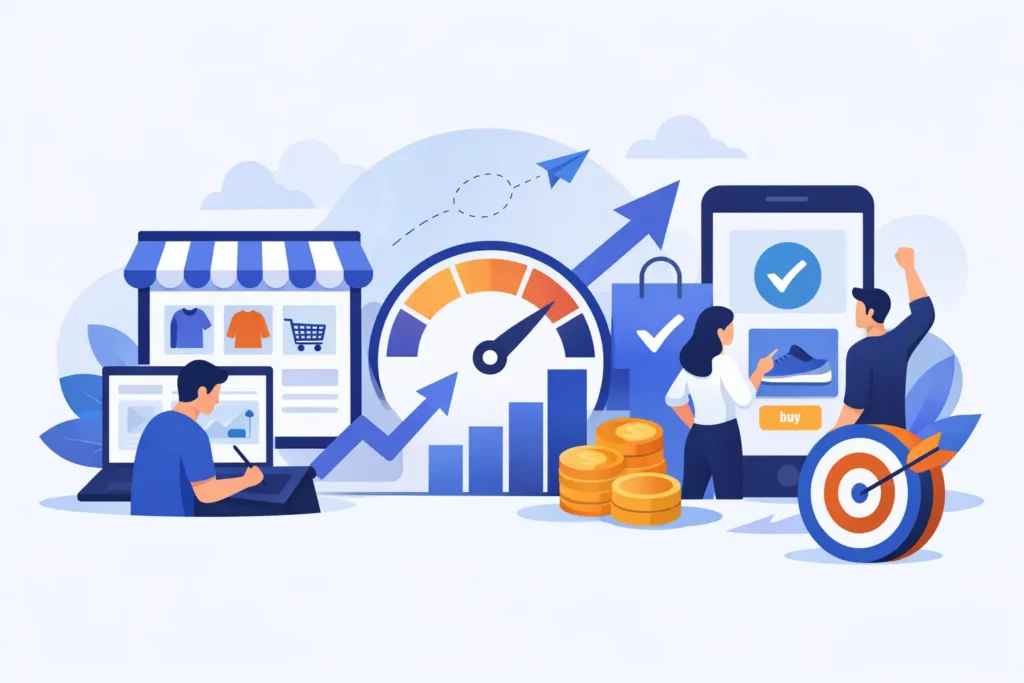
A slow store costs money twice. First, shoppers leave before they see what you sell. Second, your team wastes time wrestling with a site that feels heavy, fragile, or harder to update than it should be. That is why fast BigCommerce design is not just a visual decision. It is an operational one.
Merchants usually notice the problem in one of two ways. Either the storefront feels sluggish and conversion rates lag, or every design change turns into a drawn-out project with too many moving parts. Both issues matter. A store should load quickly for customers and move quickly for the business behind it.
What fast BigCommerce design really means
A lot of people hear “fast” and think only about page speed scores. Those matter, but they are not the whole job. Fast BigCommerce design has two parts.
The first is front-end performance. Category pages should load cleanly. Product pages should not choke on oversized images, too many scripts, or decorative effects that add weight without helping shoppers buy. Mobile matters most here because that is where speed problems show up first and conversions disappear fastest.
The second is delivery speed. If a redesign takes forever, if every revision passes through layers of people, or if simple updates require custom workarounds, the design is not fast in any meaningful business sense. Merchants do not need a beautiful bottleneck. They need a storefront that performs now and stays manageable later.
That is where discipline matters. Good BigCommerce work is not about adding more. It is about choosing the right structure, keeping the code lean, and making sure the design supports merchandising instead of fighting it.
Why fast BigCommerce design usually beats flashy design
Flashy design can look impressive in a pitch deck and still underperform in the real world. Heavy animations, oversized video headers, layered app embeds, and custom elements on every template often create more friction than value.
Shoppers are not grading originality. They are trying to understand your products, trust your brand, and get through checkout without irritation. If the page jumps while loading, if filters lag, or if product information is buried under visual effects, the design is working against the sale.
There is also a maintenance issue. The more custom complexity you pile onto a BigCommerce store, the more expensive every future change becomes. That does not mean custom work is bad. It means custom work should earn its keep. A B2B portal, a specialized product configurator, or a unique catalog structure may justify deeper development. Decorative complexity usually does not.
Fast design tends to age better because it is built around clear hierarchy, lighter assets, and a simpler editing experience for the merchant team.
The biggest causes of slow storefronts
Most slow BigCommerce sites are not slow because BigCommerce itself cannot handle the job. They are slow because decisions stack up over time.
Image handling is a common culprit. Uploading giant source files and letting them do all the work on the front end is one of the fastest ways to drag down page performance. So is using too many homepage banners when one strong message would do the job better.
App overload is another frequent problem. Merchants install tools for reviews, search, popups, subscriptions, personalization, upsells, analytics, chat, and tracking. Some are necessary. Some are redundant. Some quietly load scripts across the entire site whether they are needed or not.
Theme bloat also shows up often, especially in stores that have gone through multiple rounds of edits by different developers or teams. Template logic becomes messy. Old code sticks around. Features get bolted on without a cleanup plan. The site still functions, but every page carries extra weight.
Then there is design indecision. When a store tries to satisfy every internal opinion at once, it ends up crowded. More sections, more badges, more icons, more carousels, more calls to action. The page gets busier while the shopper gets less clarity.
How to approach a fast BigCommerce design project
The best results usually come from restraint and a clear order of operations. Start with what the store needs to do, not what it needs to look like in isolation.
That means defining the sales path first. What should a new visitor understand in the first few seconds? How quickly can they move from homepage to collection to product to cart? What information is required to reduce hesitation? What can be removed because it is decorative, repetitive, or only useful internally?
Once that is clear, the design system gets easier. You can simplify templates, tighten content blocks, and make better choices about where custom work is actually worth it.
On BigCommerce specifically, theme selection and customization need practical judgment. A theme that gets you 80 percent of the way there with clean structure is often the smarter choice than forcing a ground-up build when the business does not need one. On the other hand, if your catalog logic, customer groups, B2B needs, or merchandising rules are more complex, a custom BigCommerce theme may save time and money over the long run.
It depends on what the store is trying to support. A simple DTC catalog and a complex B2B operation should not be scoped the same way.
Fast BigCommerce design is also about merchant control
A design can be technically fast and still be a bad fit if your team cannot manage it without outside help for every little change.
This is one of the most overlooked parts of a redesign. Merchants need to update homepage content, swap promotional sections, add products, manage categories, and maintain landing pages without feeling like they are handling fragile machinery. If the storefront only works when a developer babysits it, you have traded one problem for another.
That is why build decisions should reflect real internal workflows. Who is updating the site? How often? What needs to stay flexible? Where are mistakes most likely to happen? Good BigCommerce design accounts for the admin side, not just the customer-facing side.
A clean structure, predictable templates, and limited unnecessary customization make the store easier to run. That saves money long after launch.
What to prioritize if you want speed without redoing everything
Not every merchant needs a full redesign. Sometimes the better move is targeted cleanup.
If the existing store has decent bones, start with the pages that carry the most revenue or friction. Homepage, collection pages, product pages, cart, and mobile navigation usually deserve attention first. Tighten image sizes, reduce script load, remove low-value content blocks, and simplify the path to purchase.
It is also worth auditing apps and tracking scripts with a hard eye. If a tool is not paying for itself, it should not stay just because it was once useful. The same goes for old design elements that are still live because no one wants to touch them.
This is where focused implementation beats bloated agency process. You do not always need a six-month engagement and a stack of strategy decks. Sometimes you need an experienced BigCommerce specialist to identify the drag, fix the right things, and keep moving. That is the appeal of a more disciplined model, including structured work sessions like the Power Blocks I use at Duck Soup E-Commerce.
How to tell if your current design is holding you back
If your store looks fine but performance is inconsistent, pay attention to behavior. Rising bounce rates on mobile, weak conversion from collection pages, poor engagement with filters, abandoned carts, and a growing dependence on paid traffic can all point to design friction.
Internal signs matter too. If your team avoids making updates because the site is difficult to manage, if changes take too long, or if every request turns into a mini project, the design is costing you operationally.
The fix is not always dramatic. Often it is a combination of cleaner templates, fewer competing elements, and stronger page hierarchy. But someone has to make those calls decisively. Endless revision loops usually create slower stores, not better ones.
Speed should make the store easier to buy from
This is the standard that matters. Not whether the redesign won awards. Not whether every stakeholder got their favorite homepage section. Not whether the site includes every feature available in the app marketplace.
A fast store helps shoppers move with confidence. It helps your team make updates without friction. It reduces rework, keeps complexity under control, and gives the business a cleaner foundation for future growth.
If you are planning a redesign, migration, or cleanup on BigCommerce, aim for speed in both senses of the word. Faster pages. Faster decisions. Faster execution. That is usually where better conversion starts.
Sales in a slump?
Get instant access to the Conversion Boosting Self-Audit, proven to identify order-blocking issues on your website.
Plus, you'll get periodic tips, tools and exclusive offers designed to help grow your e-commerce business. Unsubscribe any time.
