
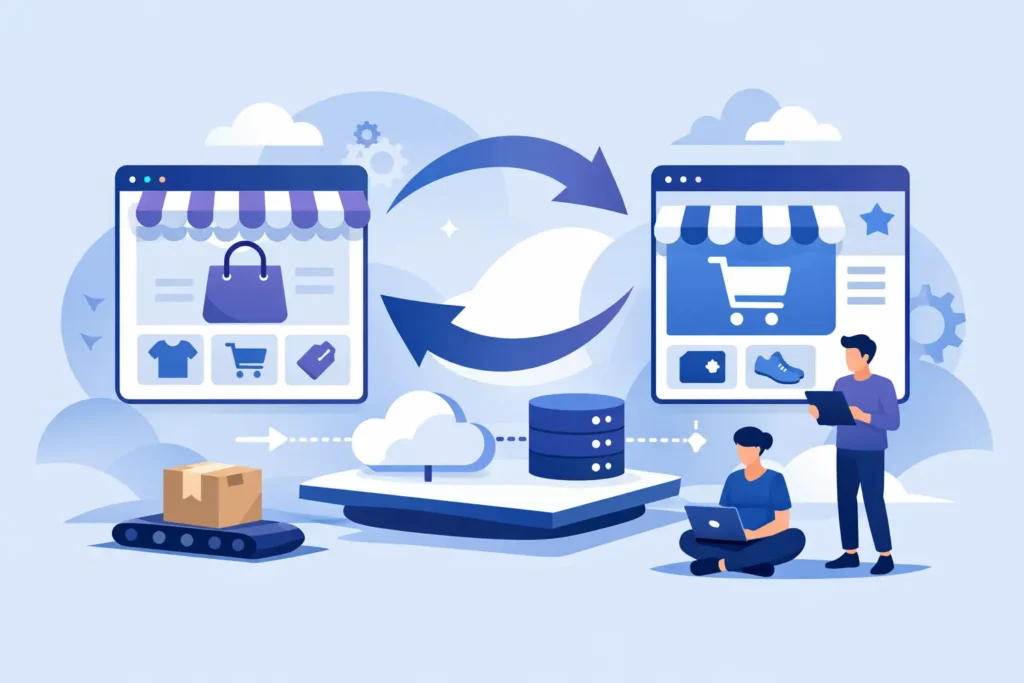
If your WooCommerce store has turned into a stack of plugins, workarounds, and crossed fingers, the platform is probably no longer the issue by itself. The issue is operational drag. A WooCommerce to BigCommerce migration usually starts when merchants are tired of babysitting updates, patching conflicts, and wondering which plugin broke checkout this time.
That frustration is valid, but migration is not a magic reset button. Moving from WooCommerce to BigCommerce can absolutely simplify operations, improve stability, and reduce platform maintenance. It can also create expensive mistakes if the project is treated like a copy-and-paste exercise. The merchants who get the best outcome are the ones who plan the move as both a platform change and an operational cleanup.
Why merchants make the WooCommerce to BigCommerce migration
WooCommerce gives merchants a lot of flexibility, especially early on. It is easy to start, easy to customize, and familiar to teams that have lived in WordPress for years. The problem usually shows up later. As the store grows, every useful feature seems to require another plugin, another subscription, another compatibility check, and another chance for something to fail after an update.
BigCommerce appeals to merchants who want fewer moving parts. Core commerce functionality is built into the platform, hosting is handled, security is less of a daily concern, and the back-end is generally more controlled. For a lean team, that matters. Less time spent on maintenance means more time spent on merchandising, marketing, customer service, and actual growth.
That said, not every WooCommerce merchant should move. If your business depends on a very specific custom workflow that is deeply tied to WordPress, the migration may require custom development or process changes. If your team loves tinkering and has strong in-house technical resources, the trade-off may feel different. The right move depends on whether you want flexibility at the code level or predictability at the operating level.
What actually moves in a WooCommerce to BigCommerce migration
Most merchants assume products, customers, and orders are the whole story. They are not. A proper migration includes data, design, functionality, and business rules.
Products usually move well, but they often need cleanup first. Variants, option sets, categories, product images, SKUs, and custom fields all need to be mapped correctly. If your WooCommerce catalog has grown organically over time, expect inconsistencies. This is where migration projects either get cleaner or get messy fast.
Customer data can usually be migrated, but account experience may change. Password migration is not always straightforward, depending on method and tooling. You need to decide whether customers will reactivate accounts, reset passwords, or be handled another way. That is not just a technical detail. It affects customer support volume and launch communication.
Order history may be brought over in full, partially, or archived externally depending on your needs. Some merchants need it in the new platform for support and reporting. Others only need recent orders live and older records preserved elsewhere. There is no universal answer. It depends on service needs, reporting requirements, and how much complexity you want in the build.
Content is another area merchants underestimate. Blog posts, landing pages, URL structures, metadata, and image references all need attention. If SEO matters, and for most established stores it does, redirects are not optional.
The biggest migration mistakes happen before the build starts
The fastest way to derail a WooCommerce to BigCommerce migration is to migrate bad decisions along with your data. If your current store has duplicate categories, outdated apps, broken filters, sloppy product options, or checkout logic nobody fully understands, moving everything as-is just changes where the mess lives.
A better approach is to define what the new store should do, not just what the old one did. Which features are essential on day one? Which plugins were nice to have but rarely used? Which workflows created extra admin work? Which customer-facing elements caused confusion? Migration is the right time to cut unnecessary complexity.
This is also where merchant-side ownership matters. If nobody on your team can answer basic questions about shipping rules, tax setup, discount logic, fulfillment flows, and customer groups, the project slows down. Not because the platform is difficult, but because unclear operations create unclear requirements.
Platform differences that can affect your rebuild
BigCommerce is not WooCommerce with different branding. Some things will feel easier. Some will work differently. A few may require a new approach.
Catalog structure is one example. Product options, variants, and modifiers need to be mapped carefully, especially if your WooCommerce store relied on plugins to create advanced logic. The same goes for bundling, subscriptions, wholesale pricing, or custom checkout behavior. Sometimes there is a native BigCommerce feature that replaces a plugin. Sometimes there is an app. Sometimes custom development makes more sense than forcing the wrong app into the job.
Design is another common misconception. You are not simply pouring your old theme into a new container. BigCommerce themes are built differently, and that is often a good thing. It gives you a chance to improve speed, mobile usability, navigation, and conversion paths instead of recreating old design debt.
Apps and integrations also need a reality check. Your ERP, CRM, email platform, shipping software, reviews tool, subscriptions app, search solution, and analytics setup all need to be audited. Some integrations move cleanly. Others need to be replaced. This is one reason migrations go sideways when they are scoped too loosely.
How to plan a WooCommerce to BigCommerce migration without chaos
The cleanest projects start with a practical audit. That means inventorying your catalog complexity, integrations, design requirements, content, and operational rules before anyone starts moving data. You need a clear view of what exists, what matters, and what should be left behind.
After that, the build should be staged in a way that reduces surprises. First the data mapping. Then the theme and page setup. Then core functionality like payments, shipping, tax, customer groups, and app configuration. Then content, redirects, testing, and launch prep. If all of that gets blurred together, problems hide until the end, where they become expensive.
Testing deserves more respect than it usually gets. Merchants often focus on whether products imported correctly but miss the bigger risks. Can customers filter and find products easily? Do discounts apply as expected? Are transactional emails set correctly? Does tax calculate properly by state? Are shipping methods accurate for your actual order mix? Can your team process returns, update orders, and handle customer service from the new back-end without friction?
These are not edge cases. They are daily operations. A good migration protects the business after launch, not just the site on launch day.
Timing, budget, and the trade-offs merchants should expect
Most migration delays come from one of three issues: unclear requirements, unvetted integrations, or catalog cleanup that should have happened earlier. Merchants often assume the technical move is the hard part. Usually, the hard part is decision-making.
Budget has the same pattern. If your WooCommerce store is fairly standard, with a manageable catalog and light customization, the migration may be straightforward. If you have thousands of SKUs, layered pricing, custom fields, B2B requirements, or unusual checkout logic, the work increases quickly. That is normal. Complexity is not a problem by itself. Unnamed complexity is.
It also helps to be honest about launch expectations. You may not replicate every WooCommerce feature exactly on day one, and you may not need to. In many cases, getting the store live with the right core experience is better than delaying launch for a long tail of edge-case functionality. The right sequencing can save both time and money.
For merchants who want direct oversight instead of agency sprawl, working with a BigCommerce expert can make the process far more controlled. That is part of why Duck Soup E-Commerce keeps the model tight and execution-focused. Less hand-offs, less translation, less room for confusion.
What a good migration feels like after launch
The payoff is rarely dramatic on day one. It is quieter than that. Your team spends less time troubleshooting and more time running the business. Updates stop feeling risky. Product management gets cleaner. The back-end becomes easier to trust. You are not hunting through plugins to understand why a promotion failed or why checkout behavior changed overnight.
That is the real value of moving platforms. Not the novelty of a new admin panel. Not a prettier theme alone. Better control, fewer operational interruptions, and a store that supports growth without constant technical babysitting.
If you are considering a move, treat the migration like a business decision first and a technical project second. That mindset tends to produce the kind of store you can actually run with confidence.
Want help with your migration to BigCommerce? I’ve helped dozens of merchants make the switch. Contact me for a no-pressure conversation and quote.

Sales in a slump?
Get instant access to the Conversion Boosting Self-Audit, proven to identify order-blocking issues on your website.
Plus, you'll get periodic tips, tools and exclusive offers designed to help grow your e-commerce business. Unsubscribe any time.
